blog / introducing-slash-deck-skill
Introducing the /deck skill kit

/deck is a skill kit for founders and salespeople who need a deck that gets a prospect interested and then gets them to yes. It runs inside the AI you already use — Claude, ChatGPT, Gemini, Grok, whichever one already has your context — and it does the whole job, from the first question to the finished slides.
It starts with an interview: what you're building, why it matters, who it's for. Your numbers, your voice, the pictures you already have. That becomes an outline.
You then work through the outline together, one slide at a time. What each slide says and what it leaves out, which number carries it, what it looks like.
Before anything gets built, your AI critiques the outline and you fix what it finds.
Then it builds the deck.
It installs in one line:
npx -y giget@latest gh:deckcp/deck-skills/skills .claude/skills --force
Restart your client and run /deck. Here's how it goes from there.
The screenshots are slides from our pitch workshop deck, the one we teach this from in a room with a clock on the screen. It was made by the process it teaches.
Step 1: the interview
The first instruction isn't "open a deck tool." It's to open whichever assistant already has your spreadsheets, your numbers and your logos, ask it to interview you, and then do it out loud, walking around, on a phone.
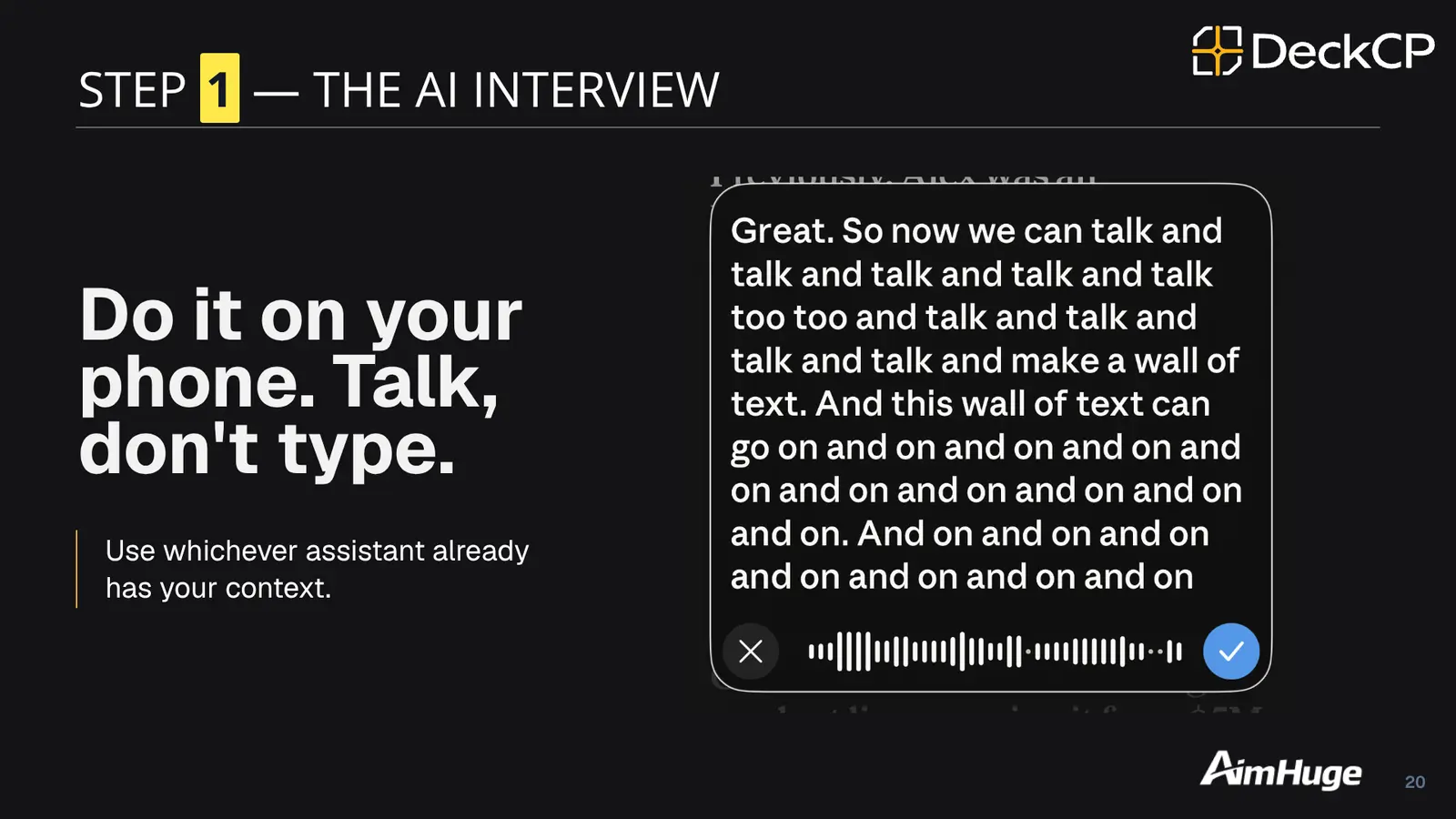
Talking gets you a wall of text nobody would ever type, and at this stage that's the useful thing to have. Five minutes of rambling contains more of your actual company than anything you'd compose at a keyboard. An agent that skips this step has to fill sixteen slides from one sentence, which is where generic decks come from.
Step 2: the interview becomes an outline
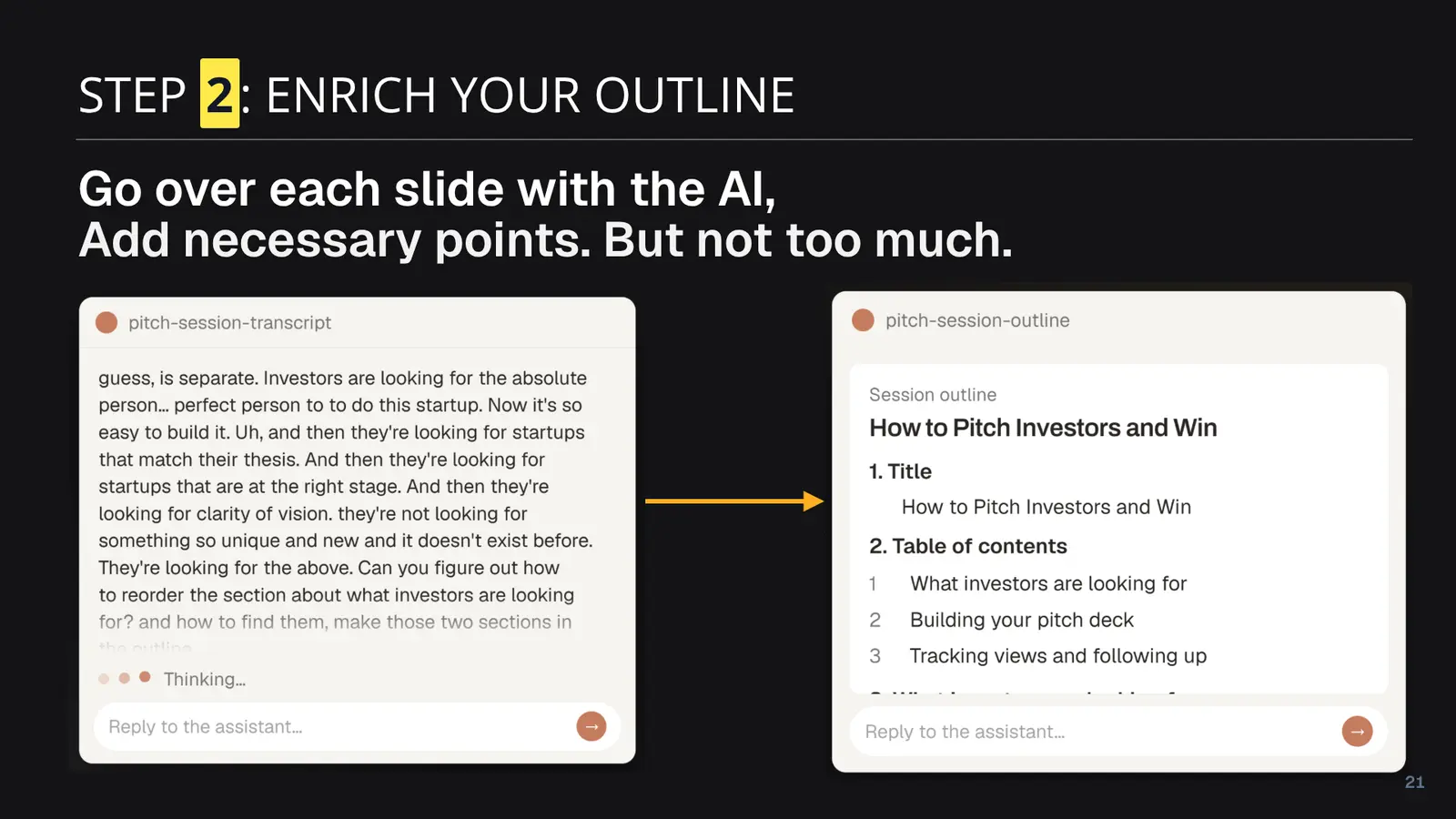
That screenshot is this deck being made. On the left, the transcript of somebody talking about what investors actually look for. On the right, the same material as a numbered outline with the title it eventually shipped under.
In the room this is a five-minute exercise, and the instruction is "add necessary points, but not too much" — because the thing people do when handed an outline is pad it. Under /deck the same step keeps your original headline on a was: line whenever it proposes a better one, so you can see what changed and refuse any of it.
Step 3: it's often in a rush to build
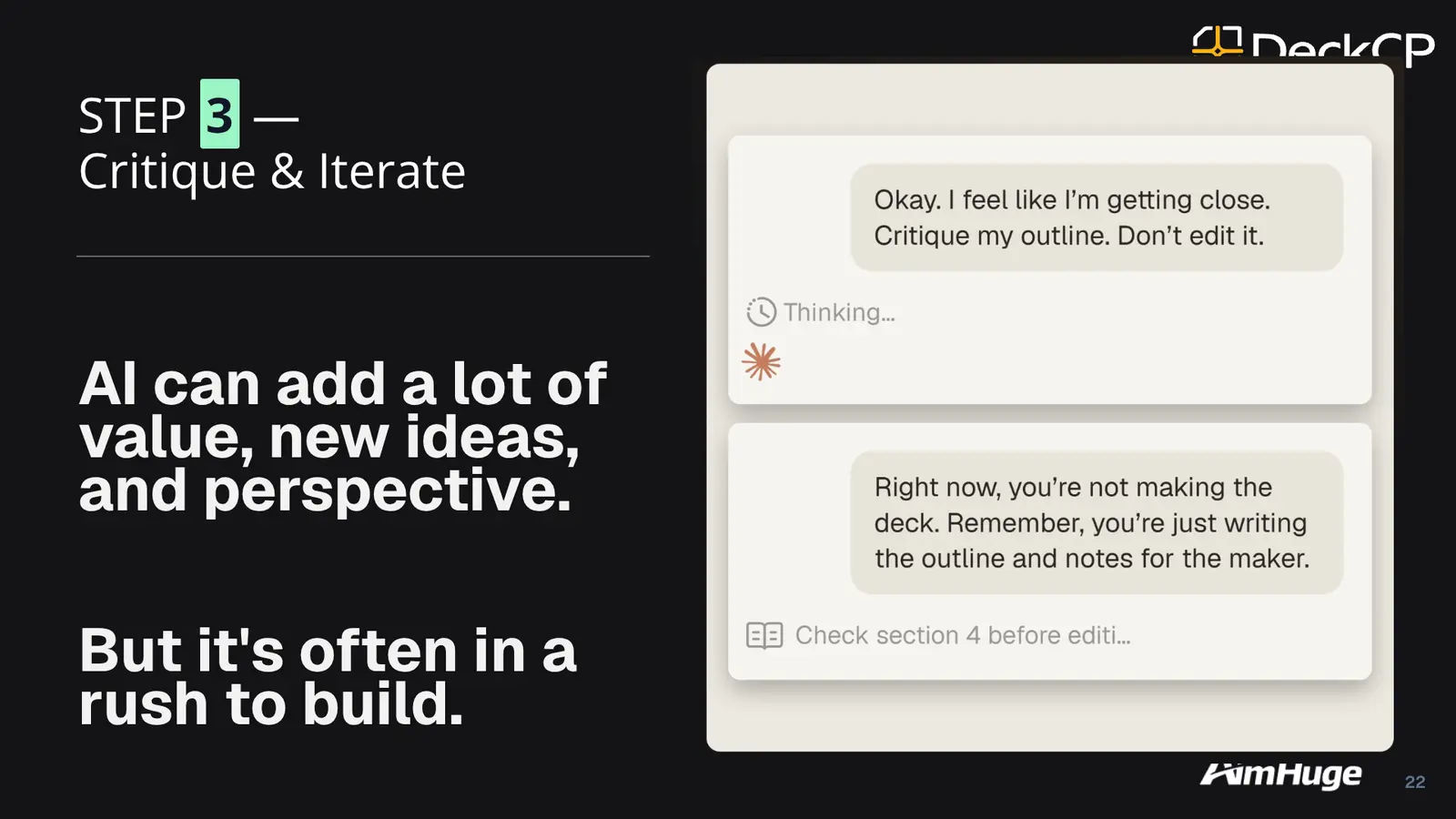
That slide predates the skill, and it turned out to describe us.
While we were building /deck, with that exact slide open in the conversation and that exact failure as the subject, our own agent announced it was "writing it" and started generating slides. Mid-sentence.
So the gate in /deck isn't an instruction, because we've now watched an instruction fail while pointing directly at itself. The process has stages, each stage ends with your sign-off, and the sign-off gets written down somewhere the agent has to read rather than recalled from earlier in the conversation. It can't advance past you, and it can't decide on your behalf that a stage looks done.
Critique is a mode it gets held in for the same reason. "Critique my outline, don't edit it" means findings only, no edits, until you let it out.
The part nobody has words for
Somewhere between the outline and the deck, a decision gets made about what each slide looks like. Most tools make it silently, from their own defaults, which is how you end up with sixteen slides that share a template.
/deck writes that decision down, one line per slide, in language you can argue with:
### 4. We hit $40k MRR in five months
point: growth is real and recent, not a projection
visual: one big number, the $40k, nothing else on it
You read that and know immediately whether it's wrong. Then you fix the sentence.
There are nineteen named layout archetypes behind this and you will never see one of them; the agent maps your sentence to the right name when it builds. Nobody should have to learn what "split feature" means to say "picture on the left, points on the right." Text-only slides get a visual line too, because "just the one line, big" is a real decision about scale and whitespace, and having made no decision is what leaves you with the defaults.
Step 4: hand it the outline
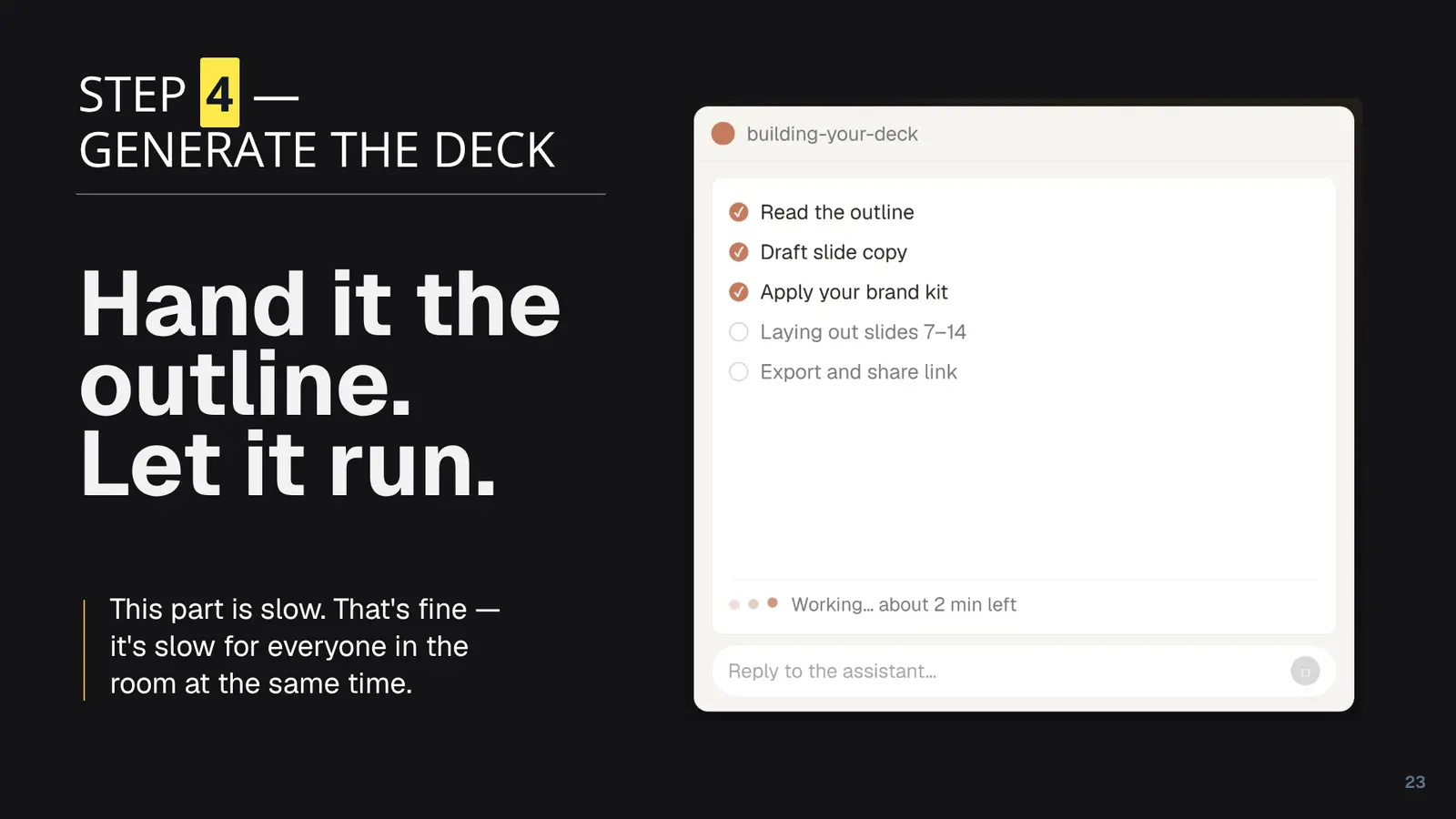
This is the step everyone expects to be the whole product, and in the workshop it's the one where we tell people to go get coffee.
What matters here is whose brand it builds on, and that costs about ten seconds of input. Your website gives it your real colours, logo, company facts and imagery, though not fonts. Any deck you've used before gives it the fonts and the type scale someone already made decisions about. Both is best. Neither and it says so, then designs you a system on purpose instead of quietly inheriting one.
Everything up to this point runs with nothing connected. When you do want it built there's still no signup page: your agent makes the workspace itself and hands you a link, and until somebody opens that link it belongs to nobody. Sign in once and it's yours; walk away and there's nothing to cancel and no account sitting on your email address.
Step 5 is yours
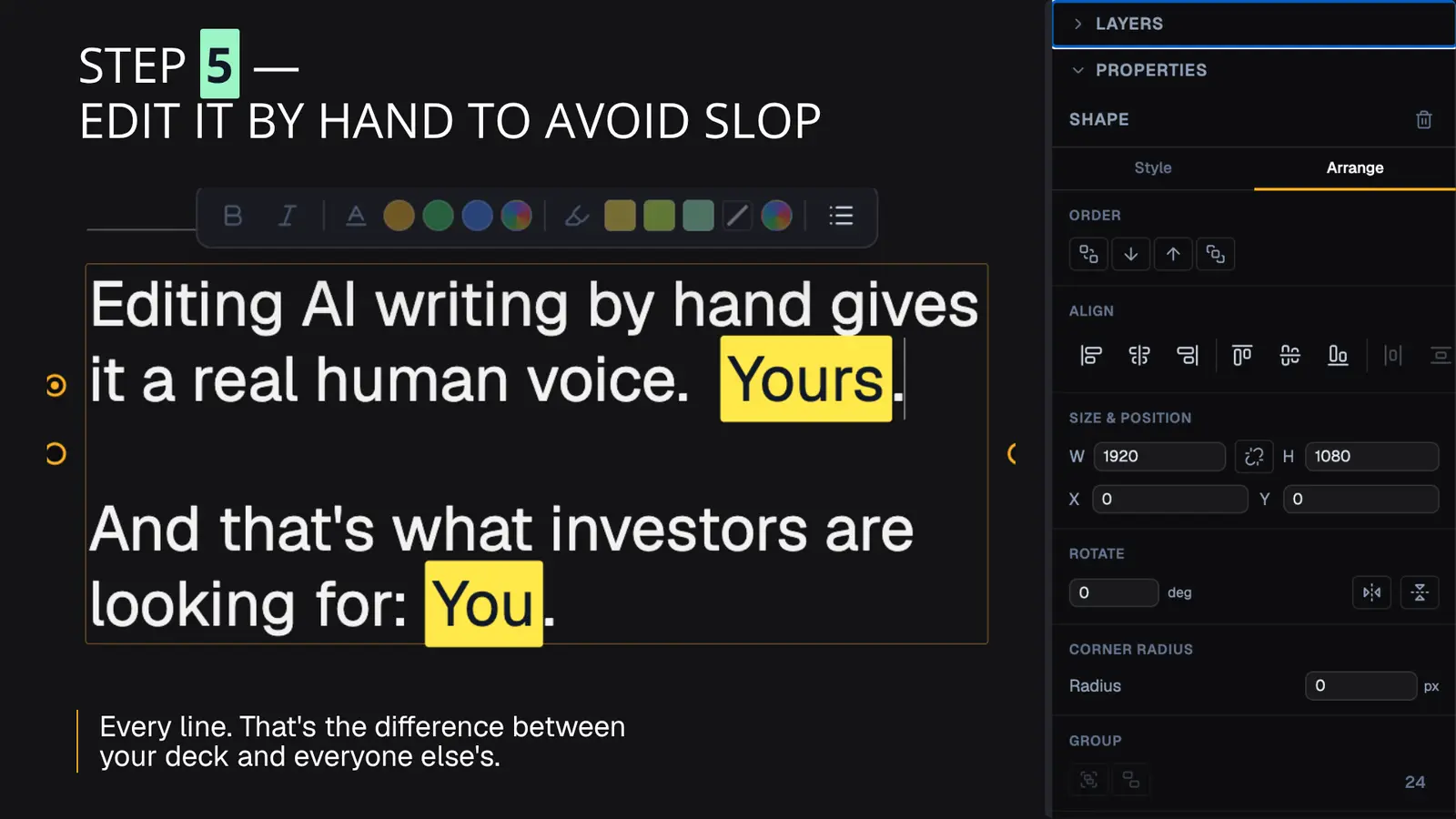
Every line, by hand. This is the step the skill deliberately doesn't do for you, and the slide says why better than we can: what's being assessed in the room is you.
Its last useful act is to point at the slides most likely to read as machine-written, and then stop.
Two other things it won't do. It won't invent proof: a missing number comes back as a finding, never as a plausible-looking figure. And on an existing deck it won't replace all thirty slides, because that's a new deck with extra steps and you won't recognise it as yours. It fixes what the diagnosis names.
After it's built
The deck lives on DeckCP, so you send a link rather than a file, and the link tells you who opened it, how far they got, and who came back. Sequences send the follow-up off that signal: wait two days, branch on whether they reached the ask, send the next email from your own mailbox. A warm read gets a reply while it's still warm, without you watching the dashboard.
Frequently asked questions
Does it work on an existing deck?
Yes, with no interview: your deck already answers most of what one asks, and re-describing a deck you're holding is insufferable. It reads the deck, renders every slide and looks at them, writes up the outline and a diagnosis, and only then asks what a deck genuinely can't tell it — who's it for now, what's the ask now, and what proof never made it onto a slide.
Can it read a PowerPoint or PDF?
Drop one in and it converts it, keeping the layout, imagery and embedded fonts, then diagnoses that. It won't re-author from the extracted text alone, which would throw away every visual decision already made.
What do I need to run it?
Any MCP client — Claude Code, Claude Desktop, claude.ai on web or mobile, ChatGPT, VS Code. One line installs the skills and connecting DeckCP takes one more. No account needed to start.
Does it work on my phone?
Yes, which is the whole point of step 1. The document that carries the process lives on the deck rather than in files on a laptop, so you can be interviewed out loud while walking, stop, and pick it up in a different app next week at the stage you left it.
Is it just a prompt?
It's a skill pack plus a live tool surface. It reads and writes a real document on the deck, renders slides and looks at the results, and runs a deterministic check with no model tokens involved. The source is on GitHub.